

PlayClaw 6.0
Excellent tool for capturing gameplay videos when playing various games
Program info
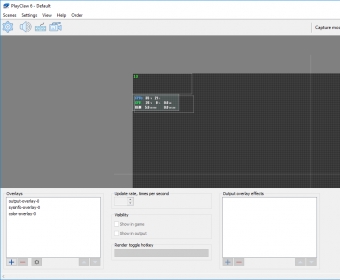
PlayClaw is an excellent tool for capturing gameplay videos when playing various games. It is easy to set up and use, and the hotkeys for capturing screenshots and starting and stopping video recordings are easily customizable. Additionally, the encoding method, output format, and destination folder can all be adjusted to suit the user's needs. Overall, PlayClaw is a great tool for capturing gameplay videos and is highly recommended.
PlayClaw can help you record your gaming experience. This application is intended to record the screen and the sounds while you play a given game. The application can remain running from the System Tray and you can activate the recording by simply pressing a hotkey combination.
An easy-to-use tabbed interface lets you configure the program according to your preferences. For instance, you can customize the size and resolution of the resulting videos. However, you cannot choose the codec to use because the only option available is to activate YUV411 compression. Likewise, there are various sound recording options, such as transforming sound to stereo or mixing all sources in one track. Since taking screenshots is supported as well, you can choose between two output image formats: JPG and PNG. Moreover, you can activate automatic screenshot taking at given intervals. There are also various options that allow you to configure the visual appearance of the text overlays that display information about the program’s status. Moreover, the application can also be set to create virtual webcams overlays. More
Pros
- It is easy to use
- It does not affect your system's performance significantly
- It has multiple options
Cons
- It does not allow choosing what video codec to use
Details
Extensions

No information available
The data will be available later.


Comments